Dependent flags
There are times when you want your flag targeting rules driven by what the user experienced with other flags.
For example, if you have a redesigned UI you're rolling out, you may want iterations on this redesign as their own feature flags that are only applicable to users who are eligible to see this UI revamp. Only users who are enabled for the new UI should also be enrolled in this new flag.
In Eppo, this is extremely easy when using targeting rules for Dependent Flags.
Using Dependent Flags in a Targeting Rule
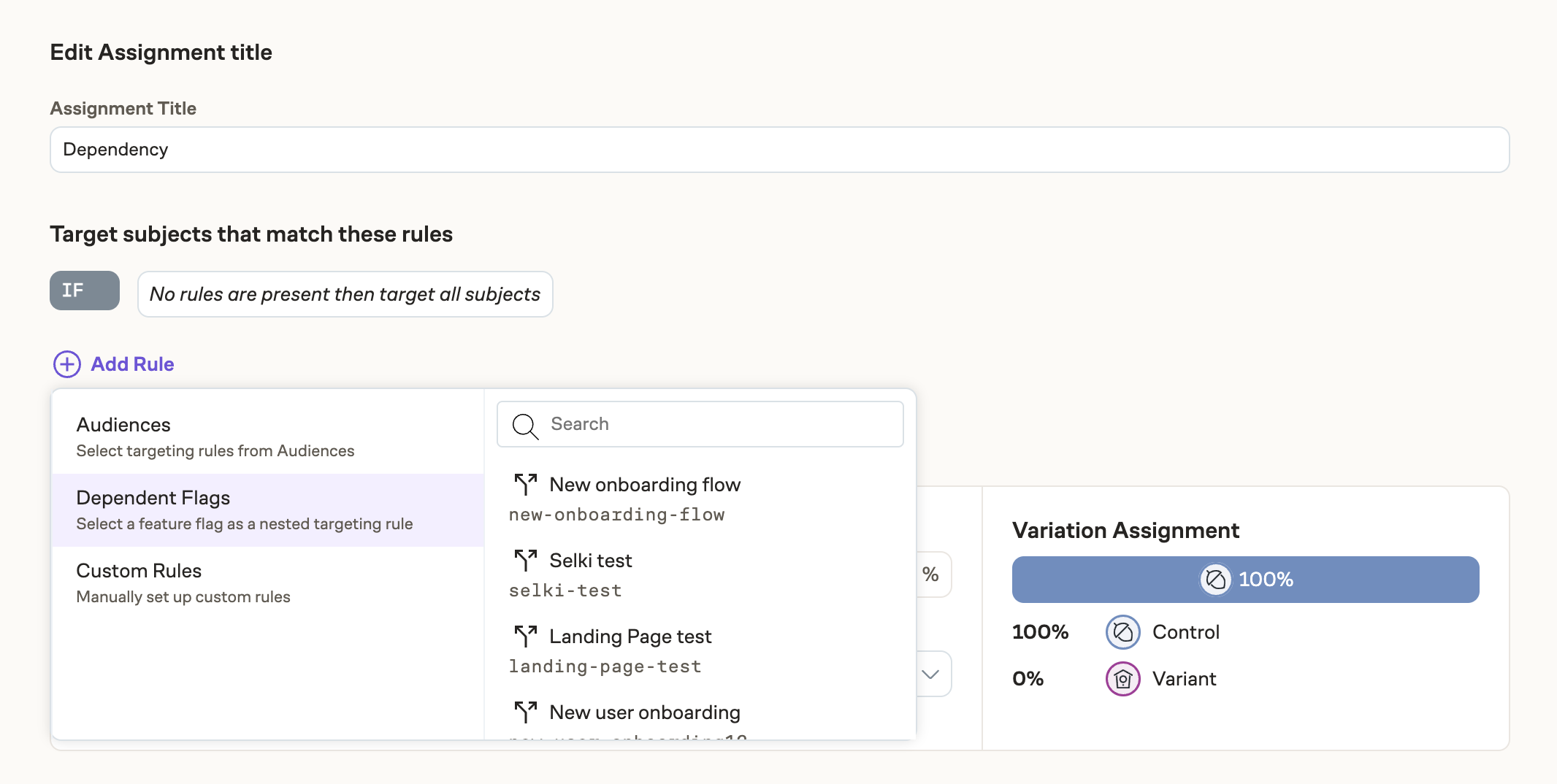
In a flag, add a feature gate or experiment assignment. From here, you'll be able to add a targeting rule. Select Dependent Flags as the type of rule to add and you'll be able to select any other flag created in Eppo.
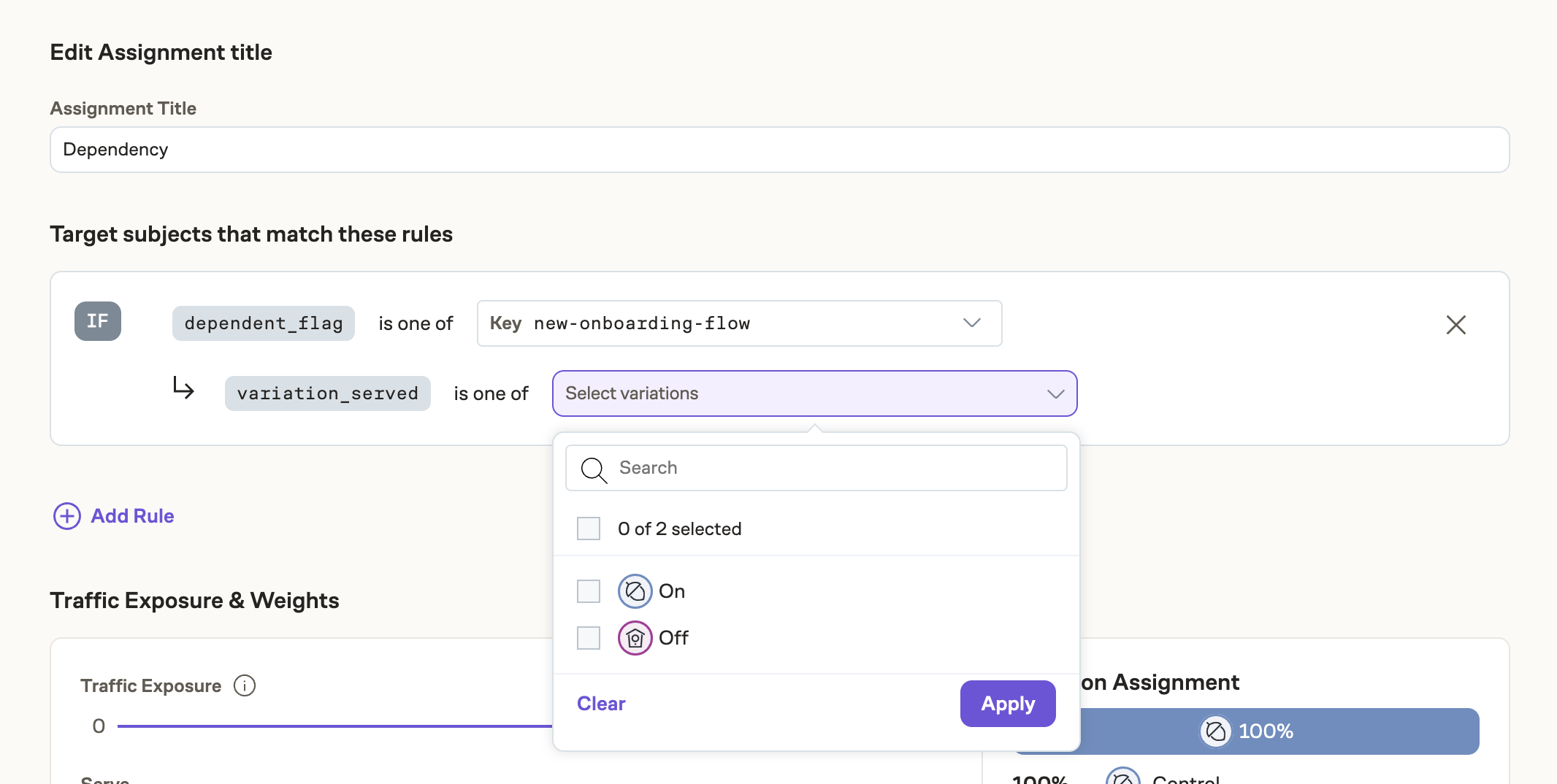
Once a flag is selected, you're able to select the parent variation(s) the user was assigned to (by variation key) in order to be eligible for this assignment.
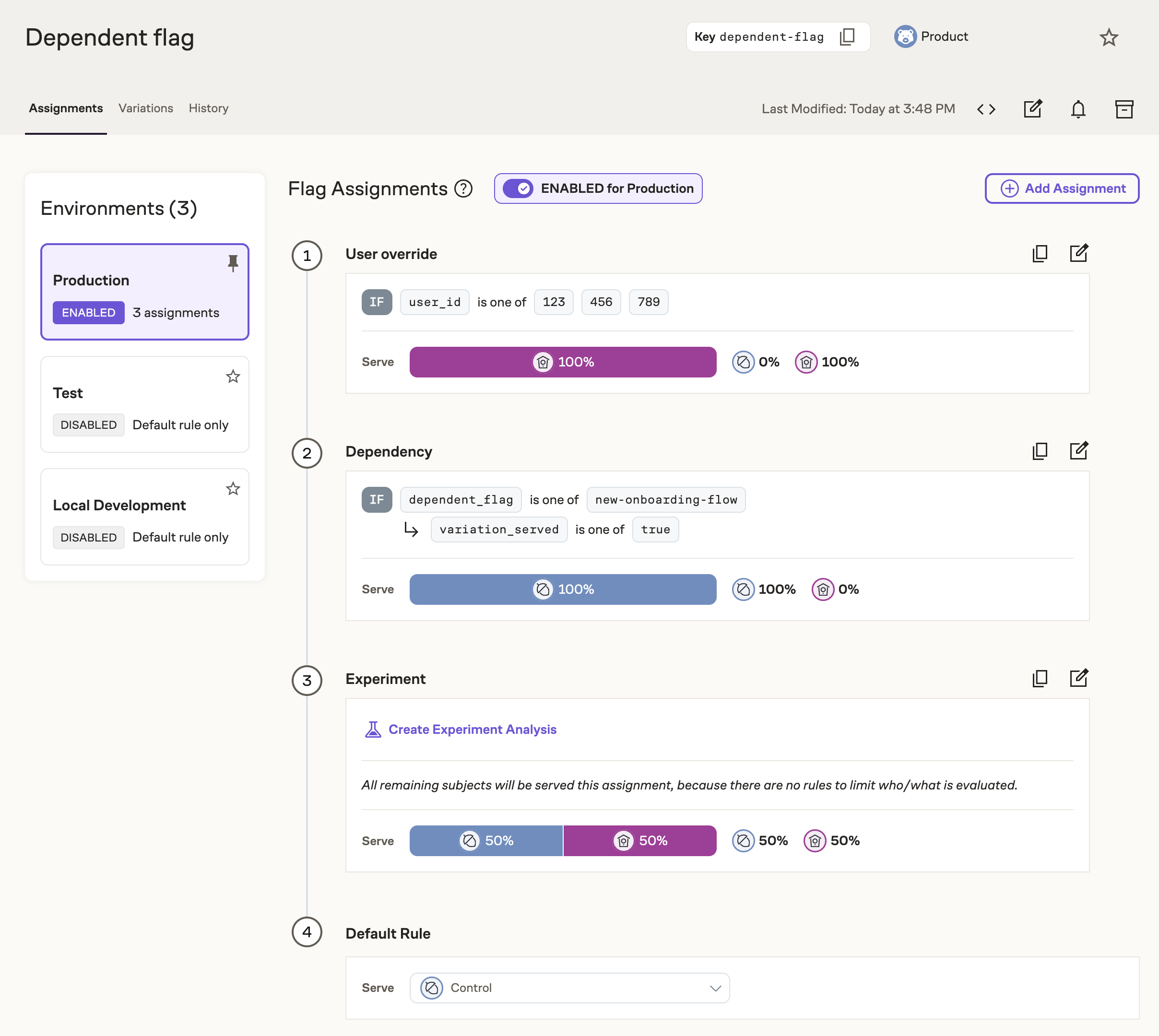
Once you save, you'll see your dependent flag rule in the flag waterfall view. You can choose to make the Dependent Flag rule first so that it's evaluated first, or you can order it below other rules depending on what meets your needs.
Configuring Dependent Flags in code
Like other targeting rules, the get_*_assignment function must pass the relevant information to evaluate the user for the Dependent Flag rule. Pass two subject attributes:
dependent_flag— the parent flag key (the same key you pass toget_*_assignmenton the parent).variation_served— the variation key the parent assigned, not the flag key and (for JSON flags) not the parsed JSON value.
The SDK evaluates these attributes literally against the dependent-flag rule conditions. The value must match the variation key stored for the selected parent variation.
String, boolean, numeric, and integer parent flags
For these flag types, the variation key and the assignment return value are the same. You can pass the parent assignment result directly:
import eppo_client

client = eppo_client.get_instance()

new_onboarding_flow_variation = client.get_string_assignment(
  "new-onboarding-flow",
  "<SUBJECT-KEY>",
  {}, # optional subject attributes
  "<DEFAULT-VALUE>"
)

variation = client.get_string_assignment(
  "<FLAG-KEY>",
  "<SUBJECT-KEY>",
    {
      "dependent_flag": "new-onboarding-flow",
      "variation_served": new_onboarding_flow_variation
    },
  "<DEFAULT-VALUE>"
)
JSON parent flags
For JSON flags, the variation key is the slugified variation name (for example, Model 1 → model-1). The assignment function returns the JSON value, which is not what variation_served expects.
Use the parent flag's variationKey from assignment details as variation_served:
parent = client.get_json_assignment_details(
  "parent-json-flag",
  "<SUBJECT-KEY>",
  {},
  {},  # default JSON value
)

variation = client.get_string_assignment(
  "<DEPENDENT-FLAG-KEY>",
  "<SUBJECT-KEY>",
  {
    "dependent_flag": "parent-json-flag",
    "variation_served": parent.evaluation_details["variationKey"],  # e.g. "exclude"
  },
  "<DEFAULT-VALUE>",
)
JSON variation keys are derived from the variation name at creation time (lower-cased, spaces replaced with -). They do not change if you rename the variation later. See Debugging Flag Assignment for the full variationKey / variationValue behavior.
Existing dependent-flag rules with a JSON parent
If you created dependent-flag rules against a JSON parent flag before the Eppo UI stored variation keys correctly, re-open the rule in the flag editor and save it again so variation_served is stored as the variation key.